Running Display Setups for Home and Office
Published
July 3, 2026
Topic
running display
Runners who work from home share a desk with their training plan whether they mean to or not. The laptop holds meetings. The phone holds Strava. Weekly mileage lives in the same pocket you use to dismiss notifications. A dedicated running display moves a few stats out of that pocket and into the room where you actually decide to run or rest.
This guide covers placement, screen choice, and setup for home and office environments using TRMNL e-ink with Activity Frame connected to Strava.
Why a running display beats another app check
Opening Strava takes seconds. Repeated ten times a week, those seconds become friction. Worse, each open invites the feed, kudos, and club posts you did not intend to browse. You wanted this week's total. You lost eight minutes.
A running display on your desk or shelf answers small questions passively: whether yesterday's run synced, how close you are to your usual monthly pattern, and whether the week grid still has empty days midweek.
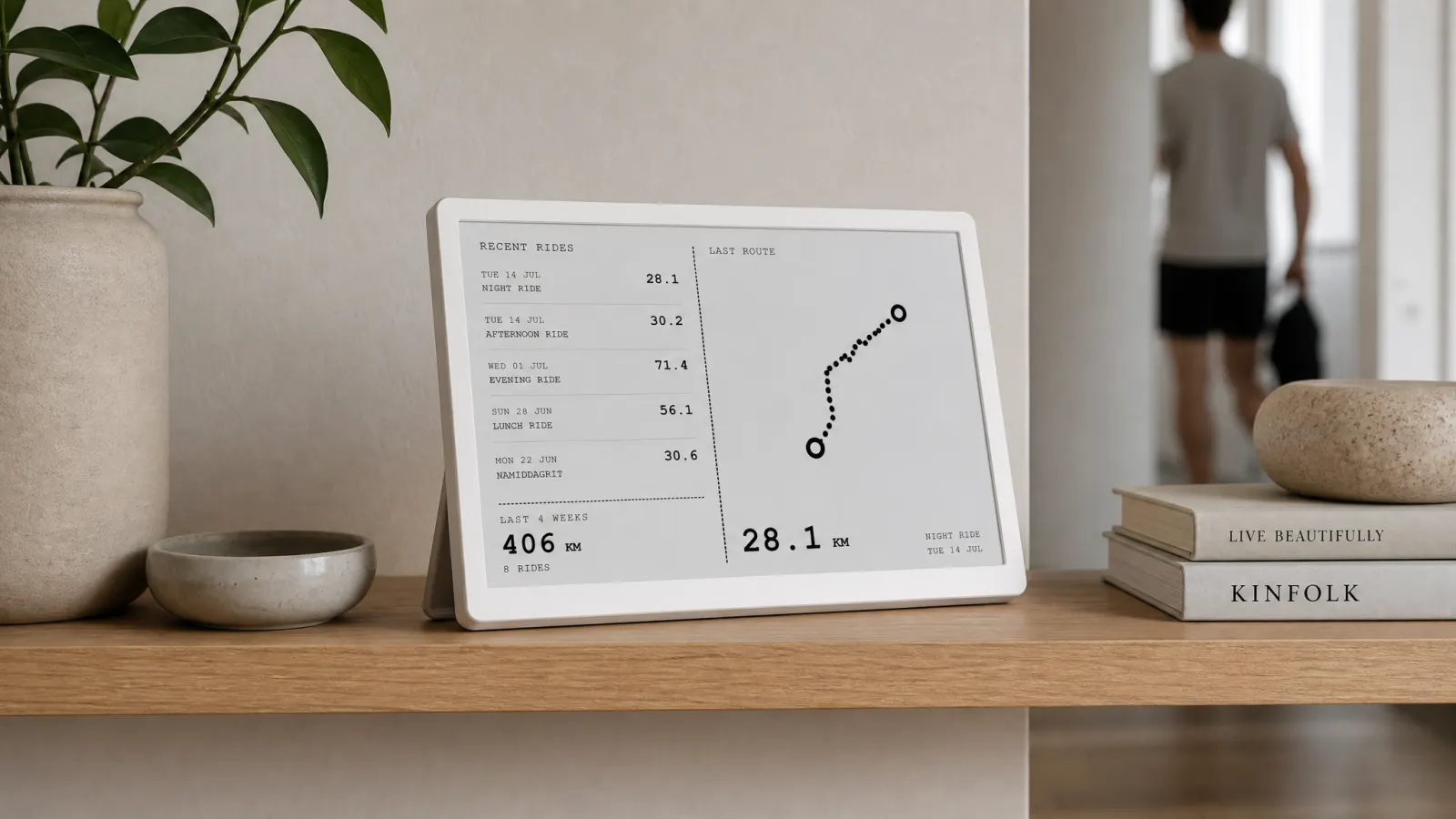
E-ink panels suit that passive model. They do not glow. They hold an image between refreshes. Activity Frame formats Strava running data for that hardware: high contrast layouts, simplified route shapes, no phone-style chrome.
For which stats deserve that treatment, read running stats that belong in the room.
Home office setup
The home office is the highest-value location for most remote runners. You sit facing a desk for hours. Peripheral vision can include a TRMNL panel without a head turn.
Desk placement: Put the panel beside your primary monitor, slightly angled toward your chair. Avoid stacking it behind the laptop lid where it hides when the machine opens.
Height: Align the panel with the top third of your monitor or slightly below eye line. E-ink is readable at angles, but flat facing beats edge-on glare.
Cable and stand: TRMNL ships with desk-friendly stands. Keep the power route tidy so the panel stays permanent. Temporary clutter becomes temporary habit.
Screen picks for office workers who run mornings or lunch:
- Week grid if you need consistency nudges midweek.
- Yearly goals if you track annual distance and travel often disrupts months.
- Latest rides for recent run list with route traces after varied trail weeks.
Skip friends at the office if social comparison distracts you during work blocks.
Kitchen and living area setup
Not every runner works from a desk. Kitchen counters and living shelves reach people who plan runs around meals and family schedules.
Kitchen counter: Near the coffee maker or kettle. Morning glance informs lunch run vs evening run decisions. E-ink reads fine under kitchen LEDs without adding screen glow at breakfast.
Living shelf: Face the panel toward the couch you use to lace shoes. Pair with hook for keys and hydration pack so the display sits in the pre-run path.
Bedside (optional): Some runners want next-day motivation at lights out. Keep brightness expectations realistic: e-ink is calm, not a nightlight. If you already avoid phones in bed, a bedside panel can show week grid without social feeds.
Avoid humid spots near kettles steaming directly on the device. Normal kitchen use is fine; treat hardware like any small electronics.
Traditional office (on-site) setup
On-site offices impose constraints: desk space, corporate Wi-Fi, curious coworkers. A small TRMNL panel often passes as a generic desk gadget better than a tablet looping Strava in a browser.
Footprint: TRMNL panels stay smaller than a monitor arm mount. Fit beside a docking station or on a bookshelf if desk policy is strict.
Wi-Fi: Activity Frame syncs through Strava and TRMNL's normal connectivity. Confirm guest or corporate networks allow device pairing per TRMNL docs before you rely on it daily.
Privacy: Friends screen shows social data. On a shared floor, stick to yearly goals and week grid without names visible to passersby.
Commuter angle: If you run at lunch, week grid updates after sync before you leave. Yearly goals remind you that short lunch loops still move annual totals.
Compare desk vs app dashboards in Strava dashboards: app views vs an always-on desk screen.
Screen combinations by runner profile
Marathon build, yearly mile target: yearly goals plus week grid.
Busy parent, short frequent runs: week grid plus latest activities.
Social club runner: week grid plus friends.
Minimalist: yearly goals alone on a kitchen panel.
Start with two screens. Add a third after two weeks if you still open Strava for something missing.
Cyclists sharing a household desk can read cycling stats worth watching for parallel ideas; Activity Frame shows both sports from one Strava account.
Hardware notes for e-ink running displays
TRMNL is the supported platform for Activity Frame. Consumer photo frames and random e-ink dev boards are not the same product path. You get plugin support, scheduled refresh, and layouts tested for monochrome.
Refresh is not live during a run. The panel updates when activities sync to Strava and TRMNL pulls new data. Desk awareness targets between workouts, not track intervals.
Route shapes on latest activities simplify trails and road loops for e-ink. They are not turn-by-turn maps.
Broader e-ink rationale: e-ink displays for cyclists and runners.
Setup checklist
- Create an Activity Frame account at
/auth/sign-up. - Connect Strava and confirm runs appear in your Strava profile as usual.
- Pair TRMNL and install the Activity Frame plugin per TRMNL's plugin flow.
- Choose screens in Activity Frame for home or office placement.
- Place hardware in a sightline you use daily, not a shelf you forget.
- Wait one sync cycle after a test run to confirm layouts update.
Detailed walkthrough: how to show Strava on an e-ink desk display with Activity Frame.
Avoid common mistakes
Hiding the panel. Behind monitors, under shelves, facing a wall. Visibility is the product.
Choosing every screen at once. Cognitive load rises. Pick two focused views.
Expecting coaching. Activity Frame shows Strava summaries. Plans and intervals stay in your training app or coach's platform.
Replacing Strava recording. You still log runs with your watch or phone. The display reads what you already record.
Soft CTA
Home and office setups differ in placement, not in data. Connect Strava once, pick screens that match your week, and put the panel where your eyes already go.
Create an Activity Frame account, link TRMNL, and build the running display that stays in the room instead of in another tab.