Running Stats That Belong in the Room
Published
July 6, 2026
Topic
running stats
Runners check the same few numbers repeatedly: this week's mileage, progress toward a yearly total, whether rest days are piling up, who on the team moved this morning. Strava holds all of it. The phone hides all of it until you go looking.
Putting running stats in the room means giving them a surface you pass without picking up your phone. A kitchen counter, home office shelf, or bedside table where a quick glance replaces another app session.
The numbers runners actually reuse
Not every metric from a GPS watch belongs on a wall or desk. Pace charts, cadence drills, and race splits belong in post-run review. Room-facing stats are the ones that shape the next decision: run today or push to tomorrow, add a easy mile or take rest, catch up on monthly volume before travel week.
Four categories cover most runners:
Weekly volume. Total distance or time for the current week. Runners training for 5K through marathon distance use this to avoid accidental undertraining before a long run day.
Yearly or block totals. Strava yearly goals translate well to a persistent bar or total. Block periodization still lives in your plan, but the annual number keeps seasons honest.
Day-by-day consistency. A grid of active days exposes holes early. Rest is planned. Accidental three-day gaps often are not.
Social nudges. Friend activity is optional. Some runners thrive on seeing a training partner's morning run. Others prefer solo focus. Choose consciously.
Why the phone fails the room test
Strava on a phone bundles stats with feeds, photos, and club chatter. You open for mileage and stay for kudos. That is fine on the couch after a run. It is expensive at 2 p.m. when you only wanted to know if you are on pace for the month.
Notifications make it worse. A buzz pulls you into the full app. You wanted a number. You got a timeline.
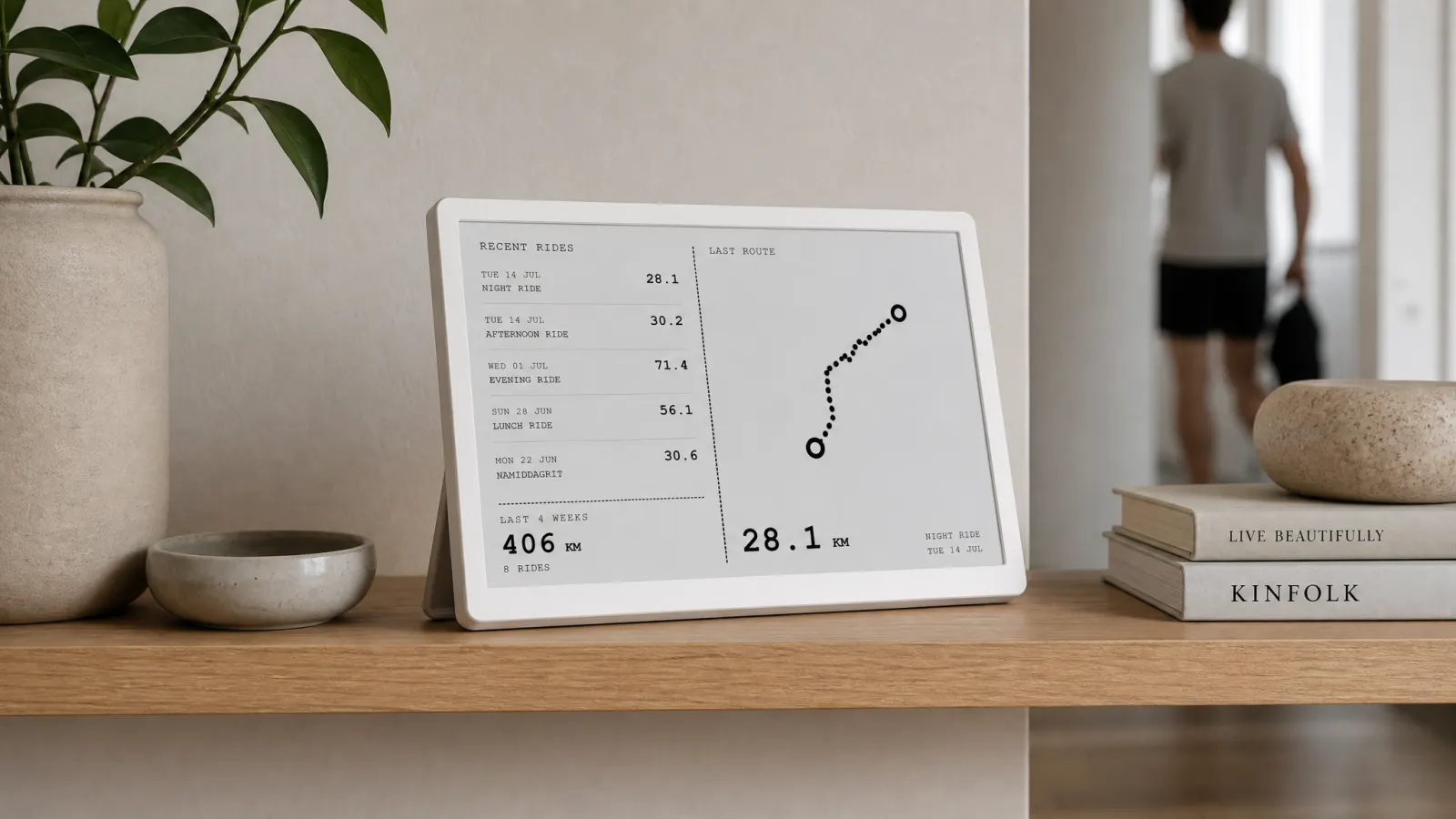
A running display in the room removes the bundle. One panel, a few stats, no scroll. Activity Frame on TRMNL formats Strava running data for e-ink: calm, high contrast, readable from a few feet away on a desk stand.
Compare phone habits to hardware in Strava dashboards: app views vs an always-on desk screen.
E-ink vs a glowing monitor
Some runners open Strava in a browser tab on a second monitor. Tabs disappear when you full-screen a spreadsheet. Monitors also glow. E-ink reflects ambient light like paper, which fits kitchens and offices where you already have enough screens.
TRMNL panels refresh on a schedule when new activities sync. You will not watch live pace on the panel during a track session. You will see yesterday's run count toward the week grid at breakfast.
For hardware context aimed at both sports, see e-ink displays for cyclists and runners.
Activity Frame screens for runners
Activity Frame treats running activities like cycling on the same Strava connection.
Latest rides (naming reflects cycling roots) lists recent activities including runs with distance, time, and simplified route shapes. Trail loops, road out-and-backs, and treadmill entries appear as they sync.
Yearly goals tracks Strava annual distance targets. Marathon prep often pairs with a yearly mile or kilometer goal even when weekly plans vary.
Week grid marks run days in a compact calendar. Easy visual scan for streak builders and return-from-injury runners rebuilding habit.
Friends shows recent friend activity without the full social feed.
Pick screens by what you forget. Monthly volume fans start with yearly goals. Habit rebuilders start with week grid.
Room placement ideas
Home office: beside the monitor where you sit for stand-up calls. Glance between meetings.
Kitchen counter: near the coffee maker for morning decisions about lunch runs.
Entry table: see weekly progress when you grab keys for an evening jog.
Avoid hiding the panel behind monitors or plants. Running stats in the room only work when the room actually includes the panel in sightlines.
Runners setting up a dedicated desk unit should also read running display setups for home and office.
Stats to leave on the watch and phone
Keep these in Strava deep views, not on a room panel:
- Interval splits and lap tables
- Heart rate and training load charts
- Race predictor widgets
- Route discovery and heatmaps
Activity Frame does not replace coaching apps or training plans. It does not show live telemetry. It keeps a short list of Strava summaries visible between runs.
From poster to live stats
Some runners frame a marathon finisher poster or route map art. Static art celebrates one day. Live stats support the next block. Many athletes want both: art on the wall, numbers on the desk. Marathon poster ideas cover the wall side; Activity Frame covers the desk side.
Setup
- Create an Activity Frame account.
- Connect Strava with running activities enabled.
- Install the Activity Frame plugin on TRMNL.
- Choose screens for your room or desk.
Step-by-step guide: how to show Strava on an e-ink desk display.
Soft CTA
Your runs already live in Strava. Put the stats that guide the next run where you live, not only in your pocket.
Create an Activity Frame account, connect Strava, and pick the running stats that belong in your room.