Strava Dashboards: App Views vs an Always-On Desk Screen
Published
July 5, 2026
Topic
strava dashboard
Every Strava athlete has a dashboard habit. Open the app, check this week's total, peek at the goal bar, maybe scroll the feed. Close the app. Repeat tomorrow. The dashboard works. It also disappears the moment you lock the phone.
An always-on desk screen keeps a slice of that dashboard in view while you work, cook, or stretch. Same Strava data. Different surface. Different frequency of awareness.
What Strava dashboards do well on a phone
The Strava mobile app aggregates your training history, club activity, route suggestions, and goal tracking in one dense interface. Color maps, photos, and segment details shine on a bright OLED screen. When you are reviewing a completed ride or planning where to run Sunday, that depth matters.
Phone dashboards also travel. Trackside, airport lounge, team bus. Anywhere you have a pocket, you have stats.
The tradeoff is attention. Strava earns engagement. Your yearly kilometer bar sits next to features designed to keep you scrolling. Checking your own progress pulls social and discovery content along for the ride.
The gap: dashboards you must choose to open
A dashboard you open is a dashboard you skip on busy days. Meetings stack, the phone stays face down, and weekly volume becomes a surprise on Saturday.
Browser Strava on a laptop helps during active sessions, then vanishes when you close the tab or sleep the machine. Second monitors help until you full-screen something else. Neither stays present through an ordinary day at a desk.
Athletes who care about consistency feel this gap most. Goals and week-to-week rhythm need passive visibility, not another intentional app launch.
Our guide on cycling stats worth watching lists which metrics reward that passive model vs deep phone review.
Bridge: always-on without another glowing screen
An always-on desk screen should not become a second TV on your workspace. E-ink fits because it holds a static image with low power, readable in daylight, calm at night.
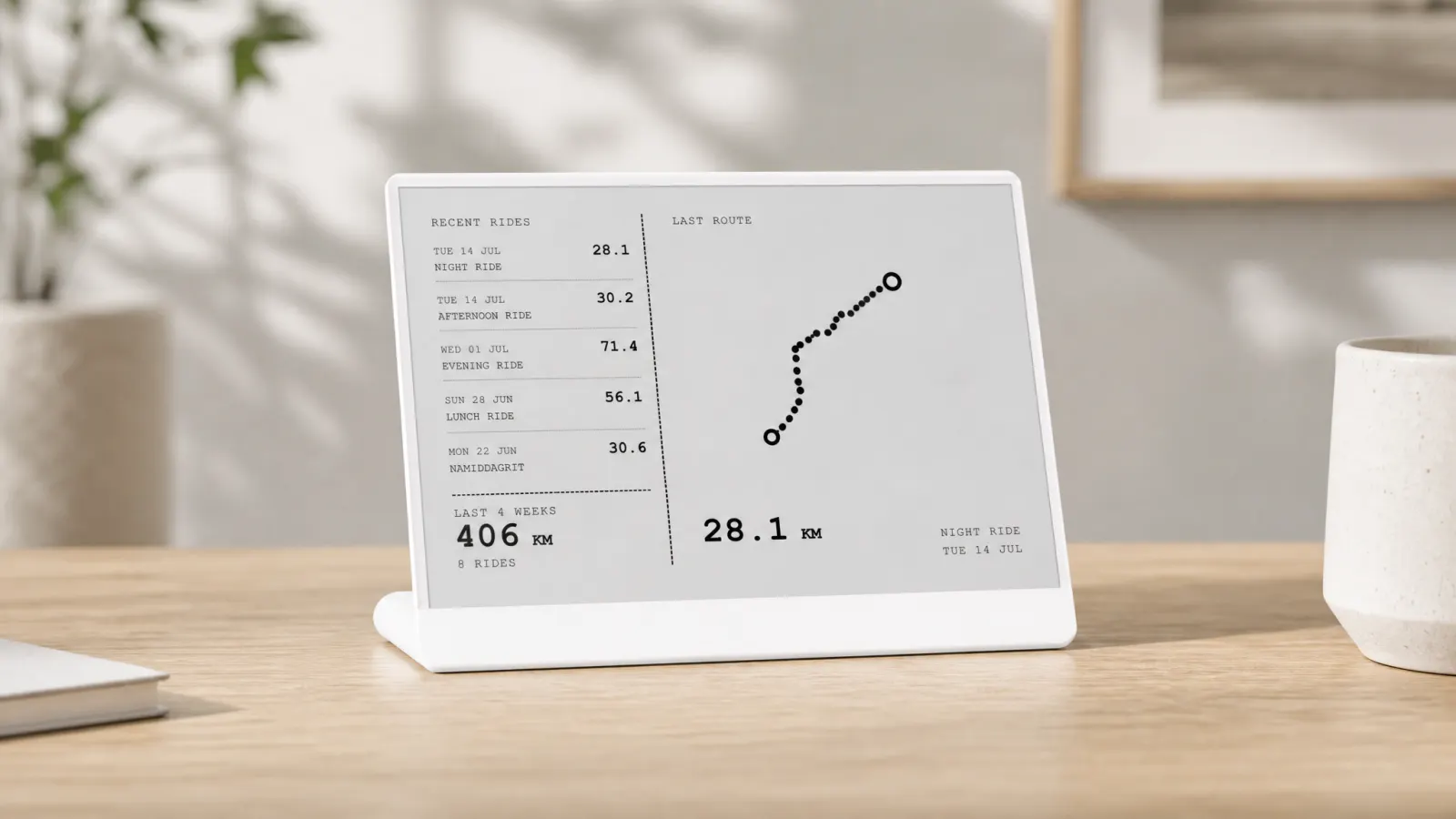
TRMNL is an e-ink display platform for home and desk. Plugins push layouts to the hardware on a refresh schedule. Activity Frame is the Strava plugin: connect your account, pick screens, and training summaries stay on the panel between syncs.
You still use Strava on the phone for segments, comments, and route planning. The desk screen carries a narrow subset: latest activities with route shapes, yearly goal progress, week grid, friends.
Activity Frame vs the full Strava dashboard
| Capability | Strava app dashboard | Activity Frame on TRMNL |
|---|---|---|
| Full activity history | Yes | Recent list on latest rides |
| Social feed | Full feed | Trimmed friends view |
| Maps and segments | Rich, color | Simplified route shapes |
| Yearly goals | In app | Dedicated screen |
| Weekly consistency view | Requires navigation | Week grid screen |
| Always visible at desk | No | Yes, when panel is placed in view |
| Live during workout | Yes (with device) | No, sync-based refresh |
Activity Frame adds a persistent slice of Strava for athletes who already log everything there and want selected stats ambient.
Who benefits from the desk screen
Remote workers who train before or after desk hours and need midweek nudges without phone rabbit holes.
Goal-oriented cyclists and runners tracking annual distance who forget targets exist until month-end.
Consistency builders using a week grid mental model instead of single hero workouts.
Minimalists who want one physical object instead of a DIY API dashboard project. If you are weighing build vs buy, read Strava API dashboards: build one or skip to Activity Frame.
Setup in four steps
- Create an Activity Frame account.
- Connect Strava.
- Install the Activity Frame plugin on your TRMNL.
- Choose screens: latest rides, yearly goals, week grid, friends.
Refresh timing follows TRMNL and sync, not live GPS. That matches desk use between workouts.
Canonical walkthrough: how to show Strava on an e-ink desk display with Activity Frame.
Placement and expectations
Put the panel where glances happen naturally. Beside a monitor, on a bookshelf facing your chair, near equipment you touch before rides.
Do not expect coaching prescriptions or medical advice from the panel. Activity Frame shows Strava summaries formatted for e-ink. Training decisions stay yours.
Pair the desk screen with wall art if you want milestone memory plus daily stats. Strava art on the wall vs stats on the desk explains how riders split decoration and utility.
Soft CTA
Keep the full Strava dashboard on your phone for depth. Add an always-on desk screen for the numbers you wish you saw every afternoon.
Create an Activity Frame account, connect Strava, and choose the views that belong on your TRMNL panel.