Buying a Cycling Route Map Art Print: When a Desk Display Fits Better
Published
July 10, 2026
Topic
best cycling art print route map poster
You finish a century ride, a gravel epic, or a local loop you have ridden a hundred times. The GPS trace looks perfect on Strava. Within a week, you are browsing shops for the best cycling art print route map poster you can find. The impulse makes sense. A finished route deserves a place on the wall.
Most riders end up with two different needs. One is memory: a single ride frozen in ink. The other is momentum: distance, goals, and recent activity that change every week. Posters handle the first job well. They do not handle the second.
What route map art actually gives you
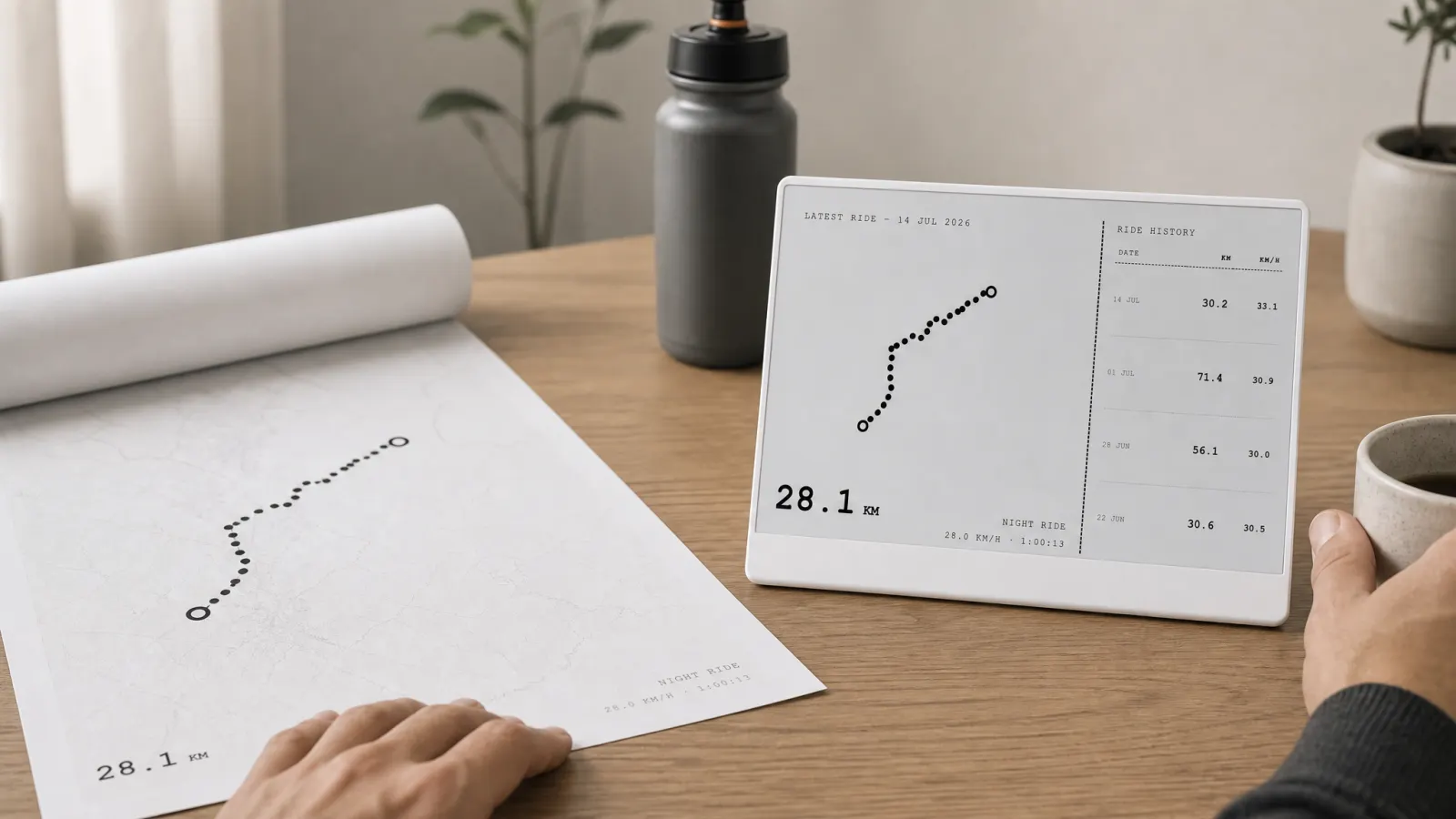
A cycling route map poster turns one activity into decor. Printers trace your GPX file, simplify the line, add a title block, and ship a framed piece. You hang it above a desk, in a hallway, or in a pain cave. Every time you walk past, you remember that day: the climb, the weather, the coffee stop.
That permanence is the point and the limit. The poster shows one ride from one season. It does not update when you PR a segment, hit a yearly kilometer target, or stack consistent weeks. For a milestone ride, that is fine. For daily training awareness, it goes stale fast.
Common formats include minimalist line art, topographic backgrounds, and city-scale maps with a bright route overlay. Quality varies by vendor: line weight, paper stock, and how much clutter they add around the trace. Read reviews about GPS accuracy and how rides with overlapping loops render before you order.
If you are comparing options, see our notes on cycling poster ideas for memorable routes for layout and sizing tips that apply to most print shops.
The gap posters leave on a working desk
Training does not stop at the ride you framed. You still care about this month's volume, whether you are on pace for an annual goal, and which days you actually got out the door. Those numbers live in Strava, which means they live behind a phone lock screen unless you move them somewhere else.
A poster on the wall does not solve that. It sits beside your monitor, not in your eyeline while you work. It carries no stats, no friend activity, no week grid. You still open the app when you wonder if Tuesday's commute counted toward your target.
Many riders pair wall art with a phone habit: check Strava at lunch, forget by evening, repeat. The Strava art on the wall vs stats on the desk split is common. One celebrates the past. The other supports the present.
When a desk display bridges daily training
If your question is "how am I doing this month," a live view beats a static map. Activity Frame connects to Strava and sends selected screens to a TRMNL e-ink panel on your desk. You pick what stays visible: latest rides with route shapes, yearly goal progress, a week grid, or a light friends view.
E-ink fits the job because it stays readable in daylight and does not glow like a second monitor. Layouts stay high contrast and calm, built for glances rather than scrolling. The panel refreshes on a schedule tied to your device, not as live telemetry. That is enough for distance awareness without turning your desk into a second phone.
Route shapes still appear on the latest rides screen, so you keep a map-like cue without commissioning new art every month. The shape updates with your actual training, not a single frozen GPX.
Side-by-side: poster vs Activity Frame
| Need | Route map poster | Activity Frame on TRMNL |
|---|---|---|
| Celebrate one epic ride | Strong fit | Not the primary job |
| Track yearly kilometers | No | Yes, yearly goals screen |
| See recent route shapes | Fixed print | Yes, latest rides screen |
| Week-to-week consistency | No | Yes, week grid screen |
| Friend activity | No | Yes, friends screen |
| Updates automatically | No | Yes, on refresh schedule |
Neither replaces the other for every rider. Many keep a poster for the ride that changed something and add a desk panel for the season they are in now.
How to choose for your setup
Buy the poster when the ride is the story. First double century, hometown loop you finally nailed, gift for a riding partner. Size it for the wall where you want the memory, not the desk where you plan the next month.
Choose a desk display when the story is ongoing. You already use Strava for goals and weekly volume. You want those numbers in peripheral vision while you work, without opening Strava on your phone. Start with yearly goals if distance targets matter, or the week grid if showing up consistently is the habit you are building.
Activity Frame setup follows four steps: create an account, connect Strava, install the TRMNL plugin, and pick your screens. No print shop lead time, no framing decisions unless you want them for something else on the wall.
For a full walkthrough of the display path, read how to show Strava on an e-ink desk display.
Soft landing between wall and desk
You do not have to pick one forever. Posters and e-ink panels occupy different surfaces and different jobs. The poster stays proud on the wall. The TRMNL panel sits where your eyes already go during the day.
If you are still browsing print vendors, order the art you will love in five years. If you are tired of opening Strava to answer a simple "am I on track" question, put the answer on the desk instead.
Create an Activity Frame account, connect Strava, and choose the screens that match how you train today.